Step 4: Approve Creative Variations
What This Step Does
The platform takes everything from the prior steps (your brief, the confirmed brand standards, the selected research pages, any reference files) and synthesizes it into one or more creative variations. Each variation is a draft for a possible final video, structured along the Hook to CTA framework from the brief.
You decide which variations are strong enough to move into production. The ones you select get turned into actual creatives the platform can produce.
Wait for Generation to Finish
After you pick research pages, the workspace shows a Building your brief progress panel. The system runs through four stages: scraping pages, processing files, synthesizing research, and generating brief variations.
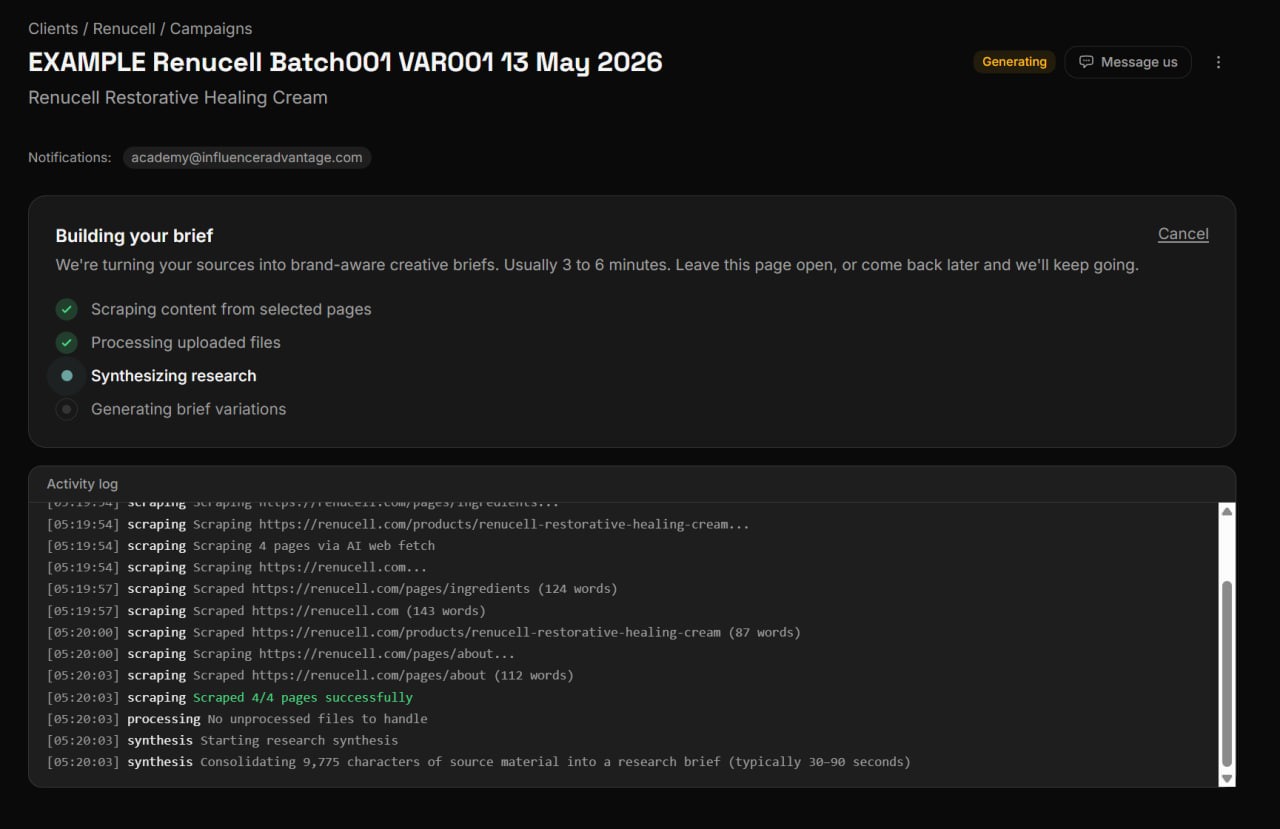
Generation usually takes 3 to 6 minutes. The activity log at the bottom shows what is happening in real time. You can:
- Leave the page open and watch the progress live.
- Close the tab and come back later. The workspace remembers state. Your notification recipients also get an email when the campaign is ready.
The campaign status pill at the top of the page flips between Processing and Generating during this phase, and then to Completed when it is done.
Review the Variations
Once generation completes, the screen shows every variation in a list. Each row carries:
- A variation number and title.
- The status (Ready, Needs fixes, or similar).
- A summary of the scenes inside.
- A View details dropdown that lets you preview the full brief for that variation before deciding.
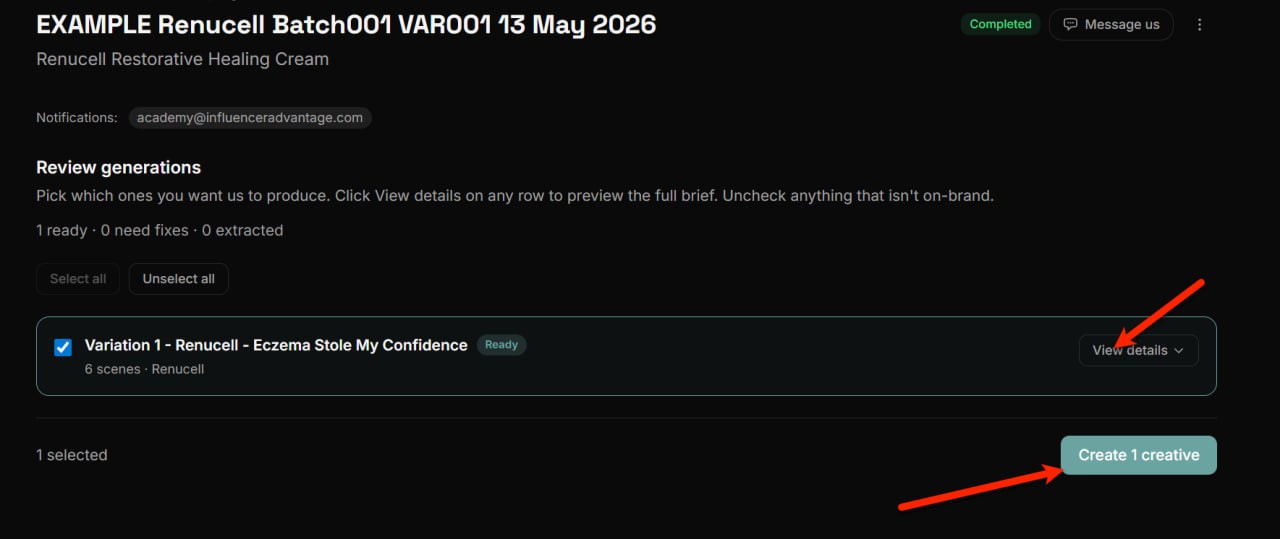
Walk through every variation and decide whether to keep it or skip it.
What to Look For
A variation is worth approving when it:
- Reads on brand from the first line.
- Matches a real angle you are willing to ship.
- Uses claims you are comfortable putting in front of an audience.
- Has scenes that hang together as a single creative, not a grab bag.
A variation is not worth approving when it:
- Lifts wording that crosses your prohibited content list.
- Repeats an angle another approved variation already covers better.
- Uses claims you do not want associated with the brand.
- Reads like product page copy rather than something a person would say.
Pick Quality Over Quantity
The most expensive failure mode at this stage is approving every variation by reflex. Each approved variation becomes a creative the team will produce. You will pay tokens on it and review the result. Approve fewer strong creatives instead of more mediocre ones.
Unselect anything that does not clear the bar. If only one variation is strong, that is fine. Create just that one.
Create the Selected Creatives
When the selection looks right, click the Create N creatives button at the bottom (the label updates with the count). The platform converts the selected variations into actual creatives in the campaign workspace.
Open the Creative
After creation, the screen redirects back to the campaign page. Each created variation shows up as a creative row with a status pill (typically Copy Review at this point) and a Continue button.
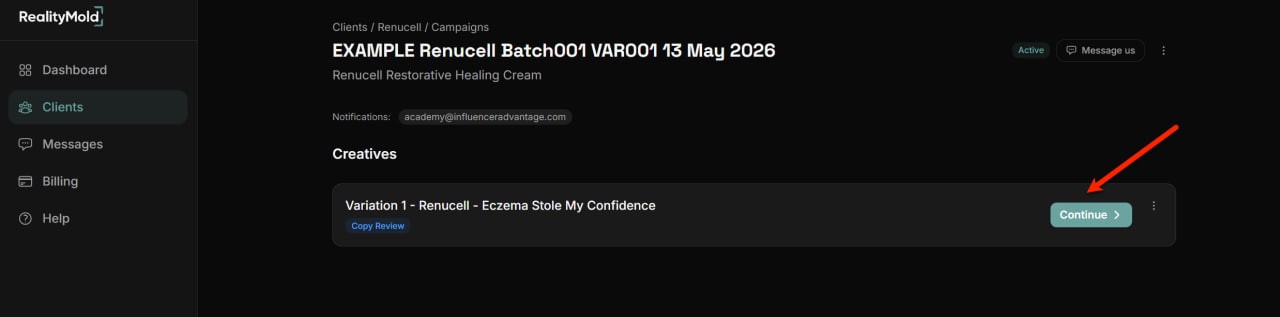
Click Continue on the creative you want to prepare for submission. The workspace opens to the Copy Review step, which is where the next article picks up.
If you created several creatives in this batch, each one is independent. You can prepare and submit them in any order, in parallel, or set some aside and come back to them later.
- Inside the Campaign Research explains how the platform turns inputs into the variations you see here.
- Understanding the 24 Hour Turnaround covers what happens after a creative is fully prepared and submitted.
Previous: Run discovery · Next: Copy review and persona
Related articles
Still need help?
Our team is ready to assist you. Get in touch and we will respond within 24 hours.
Contact Us